CenterPoint® Payroll
- MN SUTA Additional Assessment
Related Help
 View or Print as PDF
Minnesota employers with covered employment are required to pay additional funds to replenish the state UI trust fund in 2025. The additional assessment for 2025 is 5.00% of the tax amount after the SUTA tax is calculated.
Calculate SUTA Rate with Assessments
Update SUTA Rate to Include Assessments
Print and Update the MN DEED-1/1D Reports
Calculate SUTA Rate with Assessments
To calculate your SUTA rate with the assessment, take your SUTA rate multiplied by 1.05 (this represents your rate plus the additional 5% assessment). Then if you are also tracking a workforce rate, add that percentage. For example, if your SUTA rate is .69% and the work force rate is .1% the calculation of the entire rate would be:
(.0069 x 1.05) + .001 = .008245 = .8245%
Update SUTA Rate to Include Assessments
- Select Setup > Payroll Details > Employers.
- Select the appropriate employer and click Edit.
- Select the Taxes tab.
- On the left side of the screen, locate Minnesota. Under Minnesota, select the Minnesota State Unemployment Tax.
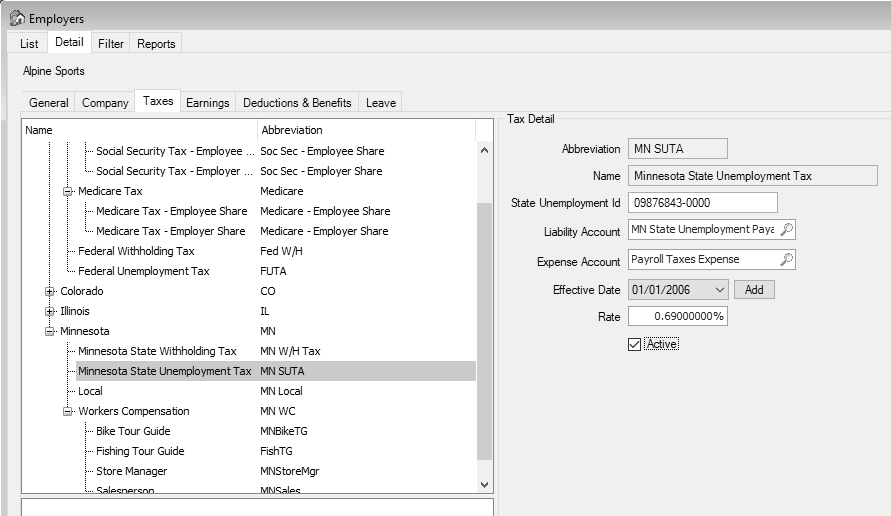
- If you are entering the SUTA rate change before it becomes effective (the rate will not be used to calculate SUTA for pay runs posted until on or after the effective date), in the Tax Detail section on the right side of the screen, click the Add button next to the Effective Date.
- In the Date field, enter the effective date for the rate change.
- Click OK.
- On the right side of the screen, enter the new Rate calculated in the Calculate SUTA Rate with Assessments section. In our example, .8245%.
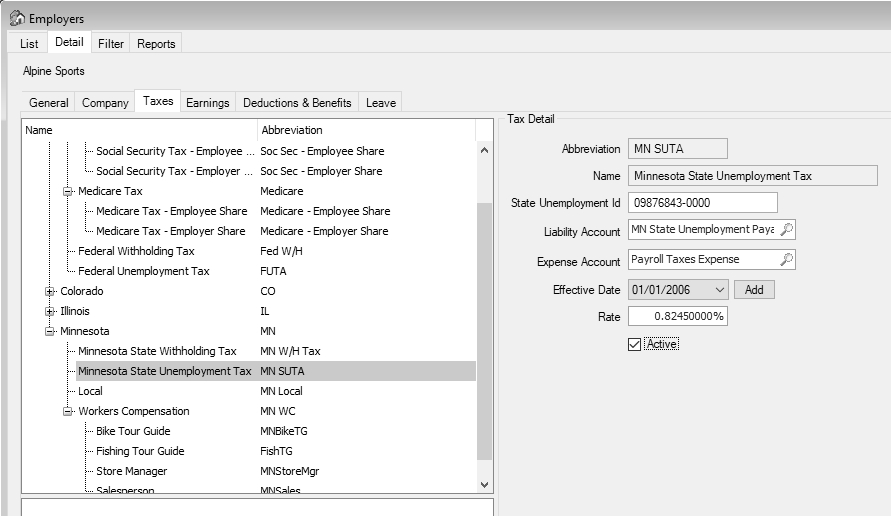
- Click Save.
- Click Close.
Print and Update the MN DEED-1/1D Reports
- Select Reports > Federal & State Payroll Forms & Reports > State Tax Forms.
- In State box, select Minnesota.
- In the Report box, select MN DEED- 1/1D Reports.
- Select the appropriate Time Period, Year, and Quarter.
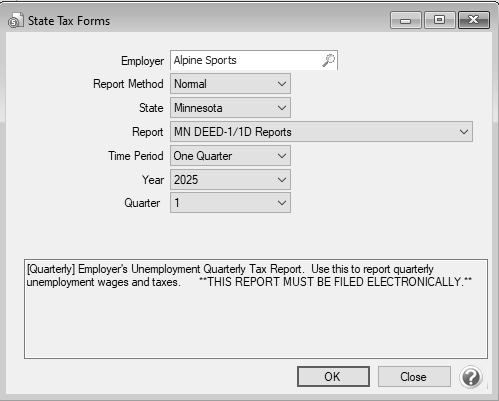
- Click OK.
- Follow the prompts on the screen until the report displays.
-
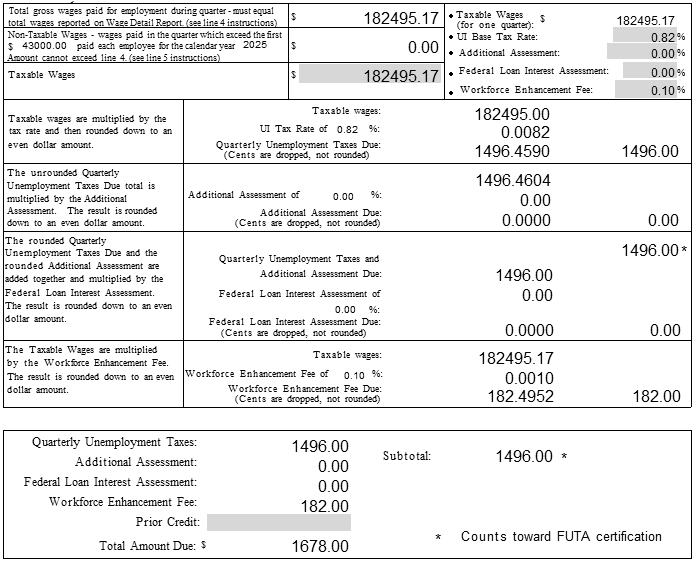
On the displayed form, change the UI Base Tax Rate back to your rate prior to adding the 5% assessment. In our example, change the rate to .69%.
-
In the Additional Assessment box, change the 0.00% to 5%.
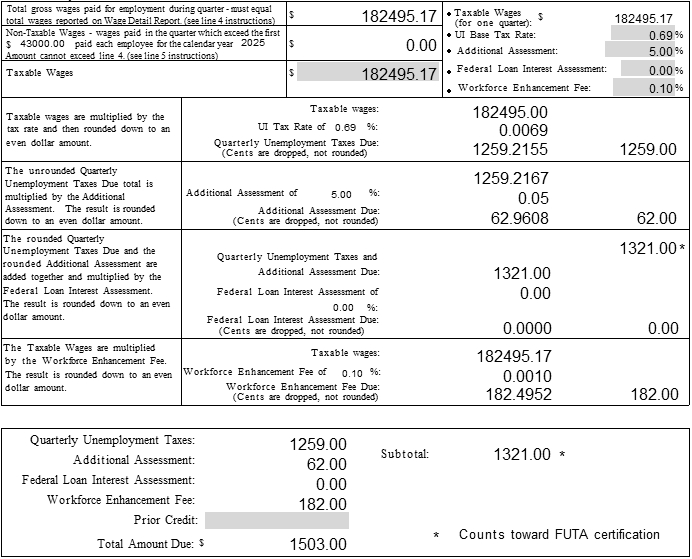
-
Continue processing and eFiling the form.
|
Document: 3474 |
|---|
 See Also